Menu
×
Your Cart ×

Hard Disk price in Bangladesh 2026

Check Hard Disk price in Bangladesh below. Starting from BDT 6,500৳ up to BDT 117,000৳, varieties of 66 products where 30 products are available. This price list was updated on 05-10-2026 by Computer Village, the Best Hard Disk shop in BD.

Hard Disk

Hard Disk

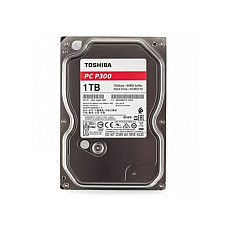
Brand: Toshiba
    • Storage: 1TB; RPM: 7200 rpm
    • Seek Time: 4.17ms, Buffer: 64MB
    • Form Factor: 3.5 Inch
    • Interface: SATA 6Gb/s
6,500৳
Ex Tax:6,500৳
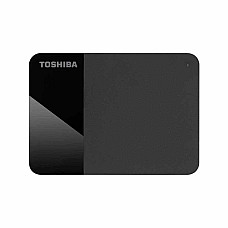
Brand: Toshiba
    • Type - External HDD
    • Storage - 1TB
    • Form Factor (Inch) - 2.5 Inch
    • Interface(s) - USB
10,700৳
Ex Tax:10,700৳
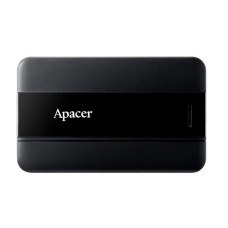
Brand: Apacer
  • Type - External HDD
  • Storage - 1TB
  • Form Factor (Inch) - 2.5 Inch
  • RPM - 5400 RPM
10,850৳
Ex Tax:10,850৳
Brand: Toshiba
  • Buffer size: 128 MB
  • Form factor: 3,5-inch
  • Interface: 6.0 Gbit/s
  • Cameras supported: up to 64
14,800৳
Ex Tax:14,800৳
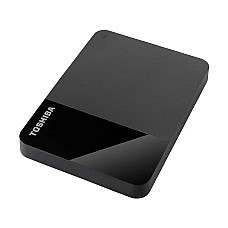
Brand: Toshiba
  • Type : External HDD
  • Storage : 2TB
  • Interface(s) : USB
  • Data Transfer Rates : Up to 5Gb/s
15,700৳
Ex Tax:15,700৳
Brand: Seagate
    • Storage: 2TB
    • Interface.: SATA 6Gb/s
    • Form Factor (Inch): 2.5 Inch
    • Type: SATA Notebook HDD
15,800৳
Ex Tax:15,800৳
Brand: Apacer
  • Type - External HDD
  • Storage - 2TB
  • Form Factor (Inch) - 2.5 Inch
  • Interface(s) - USB 3.1 Gen 1
16,999৳
Ex Tax:16,999৳
Brand: Toshiba
  • 128 MB buffer
  • Interface: Serial ATA
  • Rotational Speed: 5400 RPM
  • Toshiba Dynamic Cache Technology
22,500৳
Ex Tax:22,500৳
Brand: Seagate
22,800৳
Ex Tax:22,800৳
Brand: Seagate
    • Storage: 4TB
    • Interface.: SATA 6Gb/s
    • Form Factor (Inch): 3.5 Inch
    • Type: SATA Surveillance HDD
22,800৳
Ex Tax:22,800৳
23,500৳
Ex Tax:23,500৳
Brand: Apacer
  • Type - External HDD
  • Storage - 4TB
  • Form Factor (Inch) - 2.5 Inch
  • Interface(s) - USB
25,000৳
Ex Tax:25,000৳
Brand: Transcend
  • Type : External HDD
  • Storage : 4TB
  • Interface(s) : USB
  • Data Transfer Rates : Up to 5Gb/s
28,500৳
Ex Tax:28,500৳
Brand: Apacer
  • Type - External HDD
  • Storage - 5TB
  • Form Factor (Inch) - 2.5 Inch
  • Interface(s) - USB
29,700৳
Ex Tax:29,700৳
Brand: Apacer
  • Capacity: 5TB
  • HDD Interface: 2.5″ SATA HDD
  • Interface: SuperSpeed USB 3.2 Gen 1
  • Transfer Rate: SuperSpeed up to 5Gbps
35,060৳
Ex Tax:35,060৳
Brand: Seagate
41,000৳
Ex Tax:41,000৳
Brand: Transcend
  • Type : External HDD
  • Storage : 8TB
  • Interface(s) : USB
  • RPM: 5400 RPM
  • Data Transfer Rates : Up to 5Gb/s
47,700৳
Ex Tax:47,700৳
Brand: Seagate
  • Type: Enterprise HDD
  • RPM: 7200 RPM
  • Data Transfer Rates: 272MB/s
  • Form Factor: 3.5 Inch
71,000৳
Ex Tax:71,000৳
Brand: Seagate
  • 18TB Storage Capacity
  • SATA III 6 Gb/s Interface
  • 3.5" Form Factor
  • 256MB Cache
76,900৳
Ex Tax:76,900৳
Brand: Synology
    • Form Factor: 3.5 Inch
    • Interface: SATA 6 Gb/s
    • Rotational Speed: 7,200 rpm
    • Interface Speed: 6.0 Gb/s, 3.0 Gb/s, 1.5 Gb/s
117,000৳
Ex Tax:117,000৳
Showing 1 to 20 of 66 (4 Pages)

Hard Disk Price in Bangladesh — Genuine HDD from Computer Village

Most weeks, someone brings a clicking hard drive to our service counter holding two or three years of a business — invoices, camera footage, a photographer's entire back catalogue. Almost always the drive was healthy hardware installed into the wrong job, and almost always it warned them for a fortnight before it stopped.

That is why hard disk price in Bangladesh varies so widely between drives of identical capacity: you are not buying terabytes, you are buying how many hours a day the drive is engineered to survive and how much data it is certified to write each year. A 4TB desktop drive and a 4TB surveillance drive look the same in the hand and behave nothing alike in a recorder. Computer Village stocks genuine, warranty-registered drives across every duty class, with live pricing in the listing above.

What follows tracks a hard disk through its whole life with you — what the price is measuring, what to verify before you pay, the first two days, the working years, and the day it finally goes.

Stage One — What the Price Tag Is Actually Measuring

Four hidden variables separate a cheap drive from an expensive one of the same capacity, and none of them appear in the product name.

Duty cycle. Consumer drives assume roughly eight hours a day with regular shutdowns. Continuous-duty drives assume 8,760 hours a year — every hour there is. The bearings, lubricant and thermal design differ accordingly.

Workload rating. Manufacturers certify a volume of data per year: near 55TB for consumer desktop drives, around 180TB for surveillance models, up to 550TB for enterprise series. Exceed it consistently and the drive fails early, and the claim gets awkward.

Recording technology. CMR writes tracks side by side. SMR overlaps them to fit more data cheaply, then slows badly under sustained writing. SMR is fine for a file archive and genuinely damaging inside a NAS, a RAID array or a CCTV recorder. It is rarely printed on the box.

Vibration and error handling. Multi-drive chassis need rotational vibration sensors, or each drive's shake disrupts its neighbours' heads. RAID arrays need a capped error-retry timer, or the controller mistakes a slow retry for a dead drive and ejects it. These two features are most of why NAS and surveillance drives cost more.

Capacity, by contrast, is the easy part — and cost per terabyte falls as capacity rises, so one larger drive is usually better value than two smaller ones.

Stage Two — Matching the Drive to the Machine

Read down the column that matches where the drive will live.

Desktop HDD Surveillance HDD NAS HDD Enterprise HDD
Designed for PCs, gaming rigs DVR / NVR recorders 2–8 bay NAS units Servers, rack storage
Duty cycle ~8 hrs/day 24/7 24/7 24/7, high load
Typical workload ~55TB/year ~180TB/year ~180–300TB/year Up to 550TB/year
Typical speed 5400–7200 RPM 5400–7200 RPM 5400–7200 RPM 7200 RPM
Vibration sensors No Yes Yes Yes
RAID-safe error timing No Partial Yes Yes
Typical warranty 2 years 3 years 3 years 5 years
Series to look for BarraCuda, WD Blue, P300 SkyHawk, WD Purple, S300 IronWolf, WD Red, Synology HAT Exos X18 / X24, WD Gold

Laptops sit outside this table entirely — they need 2.5-inch drives, available in 7mm and 9.5mm heights that are not interchangeable, and many recent thin models have dropped the bay altogether in favour of M.2. Bring your model number and we will confirm what physically fits before you buy.

Stage Three — Five Things to Settle Before You Pay

  1. Confirm the recording technology. Ask us whether your exact model is CMR or SMR. For a NAS, RAID array or recorder, accept CMR only.
  2. Check the capacity ceiling of the device. Plenty of budget NVRs and older motherboards will not recognise the largest drives on the market, whatever you install.
  3. Verify the warranty is the manufacturer's, not the shop's. These are different instruments, and the difference only appears on the day a drive fails. Ours are brand warranties you can validate independently by serial number.
  4. Check the physical and electrical fit. Free bay, spare SATA data port, spare SATA power lead, and a power supply with real headroom if the system already runs several drives and a graphics card.
  5. Size for growth, not for today. Buy roughly double your current usage — mechanical drives lose performance past about 85% full, and the gap between capacity tiers is smaller than the cost of replacing a full drive next year.

Sizing a drive for CCTV

Approximate storage in GB = cameras × bitrate in Mbps × 0.45 × hours recorded per day × days of retention. H.265 compression roughly halves the result against H.264, and motion-triggered recording halves it again in low-traffic locations. Give us your camera count, resolution, codec and required retention period and we will size it at the counter.

Stage Four — The First 48 Hours

What you do on day one determines whether you ever get a clean warranty claim.

Mount the drive properly and screw it down — an unsecured drive vibrates against the chassis, and vibration is cumulative damage. Connect SATA data to the board and SATA power from the supply; both connectors are keyed and only fit one way.

In Windows, a new drive will not appear in File Explorer until you initialise it in Disk Management. Use the GPT partition scheme for anything above 2TB, then format as NTFS. This is expected behaviour, not a fault. For a DVR, NVR or NAS, do the opposite — let the device format the drive through its own interface rather than pre-formatting it in a PC, which some recorders then have to undo.

Then take a baseline. Run any SMART utility and note the power-on hours and reallocated-sector count. A genuinely new drive reads close to zero power-on hours — this is also your best single check against a refurbished or OEM-pull unit sold as new, alongside validating the serial on the manufacturer's own warranty portal. Save that baseline somewhere; in two years it is what tells you whether the drive is ageing normally.

Finally, copy a large real file across and watch the transfer hold steady. A drive that starts fast and collapses mid-transfer is telling you something on day one rather than day four hundred.

Stage Five — The Working Years

A well-treated mechanical drive commonly runs five years or more; a poorly treated one can fail inside twelve months, and the difference is almost entirely environmental.

Three conditions matter most in Bangladesh. Power instability is first — voltage swings and abrupt outages during a write are the leading avoidable cause of drive failure here, and a modest UPS costs a fraction of one data recovery attempt. Heat is second: keep case airflow clear and clean the dust filters, because a drive running consistently hot ages faster than the datasheet expects. Humidity is third, particularly through the monsoon, which is a good reason not to store spare drives loose in a drawer.

Beyond that, keep a sixth of the capacity free as working headroom, avoid moving a powered desktop, and check SMART status two or three times a year against the baseline you took on day one.

And keep the backup rule in view, because no drive class removes it: three copies of anything that matters, on two different media, with one kept somewhere else. RAID is uptime, not backup — it protects against a drive dying, not against deletion, corruption or ransomware.

Stage Six — Recognising the End, and Handling It

Mechanical drives almost always announce themselves, and the window between first symptom and total failure is usually days to weeks. Act on any of these:

  • Clicking, grinding or a rhythmic ticking that was not there before
  • Files or folders that vanish, refuse to open, or return read errors
  • The system freezing whenever that drive is accessed
  • Copy speeds that crawl for no visible reason
  • A rising reallocated-sector or pending-sector count in SMART
  • The drive intermittently disappearing from BIOS or Disk Management

The order matters: copy your data off first, diagnose second. Every extra hour of operation on a failing drive reduces what can be recovered, and professional recovery costs many times the price of a replacement.

If the drive is still inside its warranty period, bring it to our service counter. We will read the SMART data with you, confirm whether it qualifies as a manufacturer defect, and handle the replacement claim directly rather than sending you to chase the brand yourself.

One last step people skip: before a dead or retired drive leaves your hands, wipe it. Deleting files and reformatting does not remove the data. A full secure erase, or physical destruction of the platters for a drive that no longer responds, is the only safe end for a disk that once held customer records or business accounts. We can do this for you in-store.

Why Buy Your Hard Disk from Computer Village

Computer Village has been part of Dhaka's technology trade for over two decades — long enough that customers who first came in as students now run their offices' procurement through us. Storage is the category where that matters most, because the wrong choice stays invisible until the day it isn't.

  • Genuine stock with verifiable warranty — authorised supply, serial numbers you can validate on the manufacturer's own portal.
  • Specifications confirmed before purchase — recording type, workload rating and physical fit checked against your actual machine.
  • Transparent live pricing — the listing above is current, with nothing added at the counter.
  • In-house service team — installation, cloning, SMART diagnostics, secure erase and warranty claims handled under one roof.
  • Nationwide delivery and flexible payment — order online from anywhere in Bangladesh, with EMI and multiple payment methods.

Explore More Storage at Computer Village

Related categories worth browsing alongside this one:

In-stock drives our customers buy most often:

Frequently Asked Questions

Why do two hard disks of the same capacity have different prices in Bangladesh?

Because capacity is only one of four price drivers. Duty cycle, certified annual workload, recording technology and vibration handling differ sharply between desktop, surveillance, NAS and enterprise drives, and those differences are what you are paying for.

What should I check in the first 48 hours after buying a hard disk?

Initialise and format it, then run a SMART utility and record the power-on hours and reallocated-sector count. A genuinely new drive reads close to zero hours. Keep that baseline — it is how you judge the drive's condition two years later, and it is your best check against a refurbished unit sold as new.

How long does a hard disk last?

Commonly five years or more when kept cool, dust-free and on stable power. Voltage instability, heat and vibration are what shorten that, which is why a UPS and clean case airflow matter more than any specification on the box.

What are the first signs a hard disk is failing?

Clicking or grinding noises, files that will not open, freezes when that drive is accessed, unexplained slow copying, and a rising reallocated-sector count in SMART data. Copy your data off first, diagnose second — the window before total failure is usually days, not hours.

Can I put a desktop hard disk in a CCTV recorder?

It will work and it will not last. Desktop drives are rated for roughly eight hours a day; a recorder runs continuously. Use a surveillance-rated drive such as the Toshiba S300, Seagate SkyHawk or WD Purple, which carry vibration sensors and a far higher annual workload rating.

What is CMR and SMR, and does it affect me?

CMR writes tracks side by side; SMR overlaps them for cheaper capacity but slows under sustained writes. For everyday file storage SMR is acceptable. For a NAS, RAID array or CCTV system, insist on CMR — ask us and we will confirm it for your model.

Why does my new 4TB drive show less than 4TB in Windows?

Manufacturers count capacity in decimal units and Windows reports in binary, a difference of roughly 7 to 9 percent. Nothing is missing and the drive is not faulty.

How can I be sure a hard disk is original and not refurbished?

Validate the serial number on the manufacturer's official warranty portal, where a genuine new unit returns its full remaining warranty period, and check power-on hours in SMART. Every drive sold by Computer Village is genuine and warranty-registered.

Top trending Hard Disk Drive (HDD)  price list in Bangladesh 2026

view the budget friendly latest prices of Hard Disk Drive (HDD) in bangladesh as of 05-10-2026, and stay updated with the most recent information. we have covered all the top brands. with this comprehensive price list at your fingertips, you will be able to make a smart purchasing decision. so, go ahead and explore the exciting range of Hard Disk Drive (HDD) and stay informed about the latest prices.

Product NamePrice
Toshiba S300 4TB Surveillance 3.5 Inch HDD22,500৳
Seagate Barracuda 2TB 3.5 Inch SATA 7200RPM Desktop HDD15,800৳
Seagate Skyhawk 4TB 3.5 Inch SATA 5900RPM Surveillance HDD22,800৳
Toshiba P300 1TB Desktop PC Internal Hard Drive6,500৳
Toshiba S300 2TB 5400rpm Hard Drive14,800৳
Seagate Barracuda 4TB 3.5 Inch SATA 5400RPM Desktop HDD22,800৳
Western Digital My Passport Portable HDD 5TB23,500৳
Seagate 8TB SATA 5400RPM 3.5 Inch Barracuda HDD41,000৳
Synology HAT5310 18TB SATA III 3.5 Inch Enterprise HDD117,000৳
Toshiba Canvio Ready 1TB USB 3.2 Black External HDD10,700৳