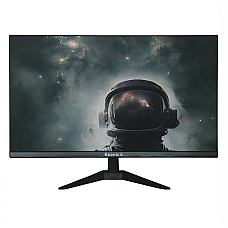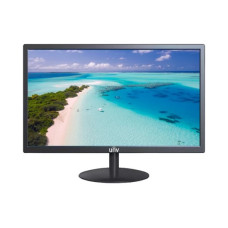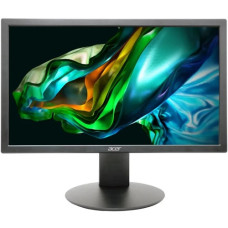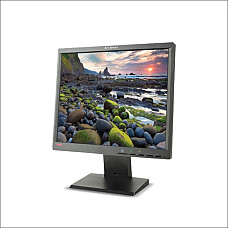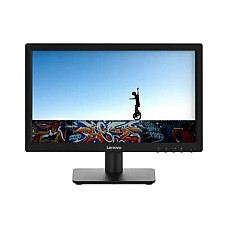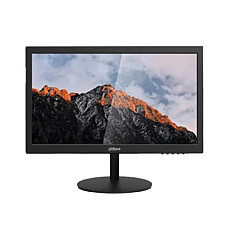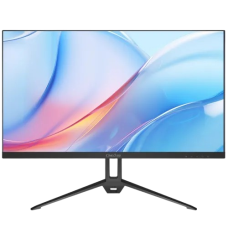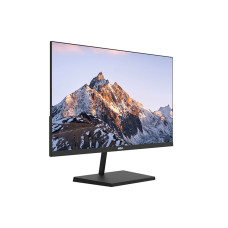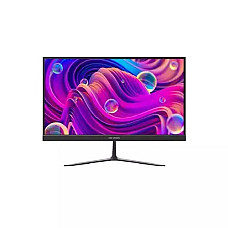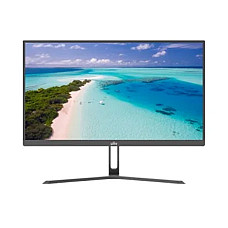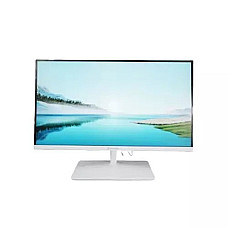
Monitor
Monitor
- Brightness:250cd/m2
- Contrast Ratio:1000:1
- Response Time: 5ms
- Resolution: 1366 x 768
- Resolution: HD+ (1600 x 900)
- Display: TN, 75Hz, 6ms
- Ports: 1x VGA, 1 x HDMI
- Features: VESA Mount Compatible
- Resolution: HD (1280 x 1024)
- Display: LCD 75Hz, 5 Ms
- Ports: VGA, DVI
- Features: Height Adjustable, CCFL backlights, Digital Controls with 8 language OSD
- Resolution: 1366 x 768
- Display: TN, 60Hz, 5ms
- Ports: HDMI, VGA
- Features: VESA Mount
- Resolution: HD (1366×768)
- Display: TN, 60Hz, 5ms
- Ports: 1x HDMI, 1 x VGA
- Features: Anti-Blue Light Design, Eye Protective
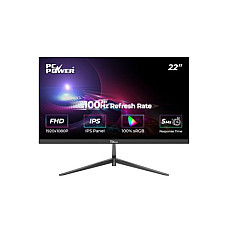
- Resolution: FHD (1920 x 1080)
- Display: IPS, 100Hz, 5ms
- Ports: 1x HDMI, 1x VGA, 1x DC Power
- Features: Antiglare, LED Backlight, 2x 2W SPEAKER
- Screen Size: 21.45 Inch
- Refresh Rate: 100Hz (max)
- Resolution: 1920×1080 (FHD)
- Ports: VGA×1, HDMI×1
- 21.5-inch Full HD display
- 100Hz refresh rate
- 1ms response time
- HDMI and VGA ports
- Screen Size 22 Inch
- Resolution 1920*1080
- Brightness 250
- Response Time 5
- Resolution: FHD (1920 × 1080)
- Display: IPS, 100Hz, 5ms OD
- Ports: 1x HDMI, 1 x VGA
- Features: 75 x 75 mm VESA Mount
- Refresh Rate : 100Hz
- Display Size : 21.5-Inch
- Resolution : FHD (1920x1080)
- Contrast Ratio : 1000:1
- Display Size 22-inch
- Display Type FHD LED
- Refresh Rate 100Hz
- Response Time 5ms
- Screen Size : 21.45 Inch
- Panel Type : IPS
- Resolution : 1920 x 1080
- Aspect Ratio : 16:9
- Screen Size: 21.45 Inch
- Panel Type: IPS
- Refresh Rate: 100Hz (max)
- Resolution: 1920×1080 (FHD)
- Model: PCGM-King22
- Resolution: FHD (1920×1080)
- Display: IPS, 100Hz, 5ms GTG
- Ports: 1x HDMI, 1x VGA | Features: Low Blue Light, Flicker-Free
- Resolution: FHD (1920 x 1080)
- Display: IPS, 100Hz, 8 ms
- Ports: 1x HDMI 1.4, 1x VGA, 1x Audio
- Features: Low Blue Light, VESA wall mount
- Resolution: FHD (1920 x 1080)
- Display: IPS, 100Hz, 1ms
- Ports: 1x HDMI, 1x VGA, 1x Audio Out
- Features: Anti-Flicker Technology, EYE-Q Check
- Brightness: 250 cd/m²
- Refresh rate: Typ 60 Hz, Max 100 Hz
- Resolution: 1920 × 1080
- Screen Size: 21.45 inch
- Resolution: FHD (1920×1080)
- Display: IPS, 100Hz, 5ms
- Ports: 1x HDMI, 1x VGA, 1x Audio Out
- Features: Low Blue Light, VESA wall mount
Monitor Price in BD 2026 — Original Displays with Real Warranty at Computer Village
Monitor price in BD varies mainly by panel type, refresh rate, and screen size — not by brand hype. At Computer Village, the lineup runs from simple HD office displays through Full HD IPS all-rounders to high-refresh gaming panels and colour-accurate 4K/OLED monitors, with every unit backed by an official warranty and daily-checked pricing.
Computer Village has sat inside BCS Computer City, Agargaon, for more than 25 years — long enough that a large share of the display counter's regular customers first walked in as students buying their first monitor and now come back for their office setup or their kid's gaming rig. That kind of repeat trust doesn't come from a brand list; it comes from staff who've actually plugged in hundreds of panels and can tell you, from memory, which 24-inch IPS flickers under a ceiling tube light and which one doesn't.
Which Monitor Tier Fits Your Use Case?
Match your monitor to what you actually do on it, not to the biggest number on the spec sheet.
| Who You Are | What To Look For | Tier |
|---|---|---|
| Student / basic office use | HD–FHD, 60–100Hz, VGA+HDMI | Entry |
| Home office / hybrid worker | FHD IPS, flicker-free, low blue light | Mid-range |
| Gamer with a discrete GPU | FHD/QHD IPS, 144Hz–240Hz, FreeSync/G-Sync | Gaming |
| Designer / video editor | QHD/4K IPS or OLED, wide colour coverage | Professional |
| Trading / multi-window work | Thin-bezel FHD, matched pair, VESA arm-ready | Mid to gaming |
Why Your Monitor Choice Matters More Than People Think
The monitor is the only PC component your eyes touch for eight-plus hours a day, so a weak panel undoes a strong build. A capable processor and graphics card feeding a dim, flickering, colour-shifting screen is one of the most common — and most avoidable — mistakes we see at the counter. Before you compare monitor price in Bangladesh across shops, get the specs straight first:
- Panel technology — decides colour accuracy and viewing angle
- Refresh rate — decides how smooth motion looks, gaming or not
- Response time — decides ghosting behind fast-moving objects
- Resolution — decides how sharp text and images render at your screen size
- Ergonomics — height, tilt, and pivot decide whether your neck thanks you later
IPS vs TN vs VA vs OLED — Which Panel Actually Suits You?
IPS is the safe all-rounder, TN is the budget speed option, VA gives the deepest blacks, and OLED sits at the professional ceiling.
| Panel | Strength | Trade-off | Best For |
|---|---|---|---|
| IPS | Accurate colour, wide viewing angles | Slightly higher cost than TN | Everyday use, design, mixed work |
| TN | Fastest response, most affordable | Weaker colour, narrow angles | Competitive gaming on a budget |
| VA | Deep contrast, rich blacks | Slower pixel response | Movies, media consumption |
| OLED | True blacks, instant response | Premium pricing | Colour grading, high-end gaming |
Most buyers walking into Computer Village for a general-purpose display leave with IPS — it's the panel that holds up whether the next task is a spreadsheet, a client call, or a Netflix binge.
Screen Size and Resolution: Matching the Panel to Your Desk
Bigger isn't automatically better — resolution has to scale with screen size or text turns soft.
- 19–21.5 inch: compact desks, cash counters, basic office terminals — HD or FHD is enough
- 23–24 inch: the everyday sweet spot for home and office FHD work
- 27 inch: where QHD starts to matter — gaming, design, and multitasking benefit most here
- 32 inch and above: needs 4K to stay sharp; ideal for editing suites and immersive setups
A simple rule the counter staff repeat daily: if the screen grows past 24 inches without the resolution growing with it, you'll notice the softness within a week.
Refresh Rate and Response Time — Don't Buy Blind on These Two
60–75Hz covers ordinary office work, 100–165Hz is the practical gaming range, and 240Hz+ is for competitive esports players who can actually perceive the difference.
Response time works alongside refresh rate, not instead of it. A high refresh rate paired with a sluggish response time still shows ghosting behind fast motion — so for shooters and racing titles, ask for both numbers, not just the headline Hz figure. And always check that your graphics card can actually push the frame rate the panel is rated for; a 165Hz monitor on an entry-level GPU won't show its advantage.
How Computer Village Helps You Choose — Real Cases From the Counter
The right monitor depends on the machine behind it and the work in front of it.
- Running a shop counter or POS terminal: a compact HD or FHD display with VGA and HDMI covers billing software without wasting desk space.
- Freelance video editing on a tight deadline: an IPS panel with strong sRGB coverage keeps client-approved colours consistent from your desk to their screen.
- Upgrading a gaming PC that outpaces the old monitor: pairing a modern GPU with a 60Hz panel wastes half its performance — a 144Hz-or-higher IPS lets the frame rate actually show.
- Running two or three screens for stock trading or analytics: matched panel sizes with thin bezels keep the visual seam between monitors from breaking your focus.
- A student on a strict budget: a mid-size FHD IPS with flicker-free backlighting protects the eyes during long study sessions without stretching the budget.
Ports and Compatibility — Check Before You Order, Not After
A monitor is only as useful as the port it connects through. Before finalising any monitor price in Bangladesh comparison, confirm:
- Your laptop or PC outputs HDMI, DisplayPort, or USB-C — match it to the monitor's input, not the other way around
- Your graphics card can actually drive the resolution and refresh rate the panel is rated for
- VESA mount compatibility, if you're planning an arm or wall mount later
- Built-in speakers or a headphone jack, if you don't want separate desktop speakers
Eye-Care Features Worth Paying Attention To
If the screen is on for most of your day, eye comfort features matter as much as the resolution spec.
- Flicker-free backlight — reduces the fatigue that builds up over long sessions
- Low blue light mode — eases strain during evening and night use
- Anti-glare coating — keeps reflections under control in bright rooms
- Height, tilt, and pivot adjustment — lets you set the screen at eye level instead of adjusting your neck to it
Best Selling Monitor at Computer Village
These are currently available and among the fastest-moving monitor picks on our shelves:
- ASUS TUF Gaming 23.8-inch Full HD IPS monitor — an esports-ready entry point for gamers upgrading from a standard office display
- GIGABYTE G27F 2 27-inch 165Hz IPS gaming monitor — the 27-inch high-refresh sweet spot for serious play
- ViewSonic VP2756 27-inch 4K UHD Pantone-validated monitor — built for editors and designers who can't afford colour drift
- PC Power PCGM22U 21.5-inch 100Hz borderless FHD monitor — a dependable, budget-friendly daily driver
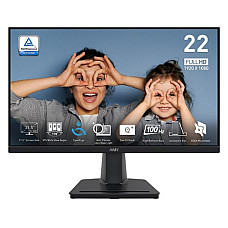
- MSI PRO MP225 21.5-inch 100Hz IPS FHD monitor — anti-flicker technology built for long office and study sessions
Complete the Setup — Explore Related Categories
A monitor rarely comes alone. These categories complete the build:
- Gaming Monitor collection — high-refresh panels built for competitive play
- Graphics Cards — the component that determines the resolution and frame rate your monitor can actually hit
- Desktop RAM — smoother multitasking across dual and triple-monitor setups
- Solid State Drives (SSD) — faster boot times to match a faster display
- Monitor Arms — free up desk space and fix your viewing angle properly
- Laptops — for buyers pairing a new external display with a fresh machine
Buy With Confidence — What Backs Every Monitor We Sell
A low monitor price in BD means nothing if the warranty behind it doesn't hold up — this is where a 25-year retailer earns its reputation.
- 100% original units sourced through official brand channels
- Official manufacturer warranty on every monitor sold
- EMI facilities available on selected models
- A real, walk-in service centre — not just a call centre ticket number
- Daily-checked pricing so the number you see online matches the counter
Visit the counter at BCS Computer City, Agargaon (IDB Bhaban), Dhaka, or order online and have the display delivered to your door.
Frequently Asked Questions
What determines monitor price in Bangladesh?
Panel type, screen size, refresh rate, and resolution are the biggest factors. An HD office display sits at the low end, while 4K and OLED professional panels sit at the top, with FHD IPS models forming the practical middle ground most buyers choose.
Is IPS or TN better for a first-time monitor buyer?
IPS is the better default for most people because it holds colour accuracy from wider viewing angles, which matters for everyday browsing, office work, and casual media. TN only makes sense when refresh rate and budget matter more than colour.
Do I need a high refresh rate monitor if I don't game?
Not strictly, but even non-gamers notice smoother scrolling and cursor movement above 75Hz. It's a comfort upgrade rather than a necessity for office or study use.
What refresh rate is worth paying extra for?
144Hz and 165Hz cover the practical gaming range for most players. Going up to 240Hz only pays off for competitive esports titles and only if your graphics card can consistently hit those frame rates.
Can I mix monitor brands in a dual-monitor setup?
Yes, but matching panel size and bezel thickness keeps the visual transition between screens smoother, which matters more than matching brand names for day-to-day comfort.
Where can I buy an original monitor with real warranty support in BD?
Computer Village has supplied genuine, warranty-backed monitors in Dhaka for over 25 years, with EMI options and an in-person service centre at BCS Computer City, Agargaon.
Discover the Best Monitor for Every Need!
Welcome to Computer Village, your one-stop destination for high-quality Monitor in the Monitor category! With 792 choices available, we ensure you find the perfect fit for your workspace or entertainment needs.Check back often as we add new products to our roster and post updates regarding availability on 05-10-2026 of 2026.