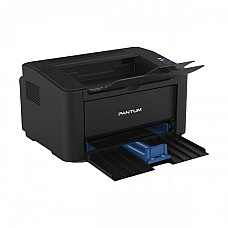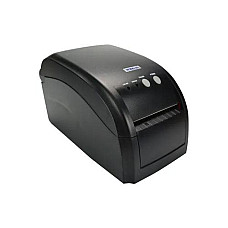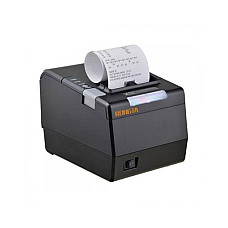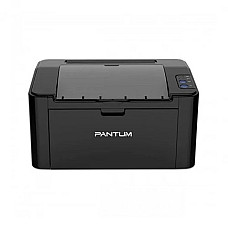
Printer
Printer
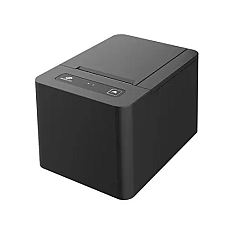
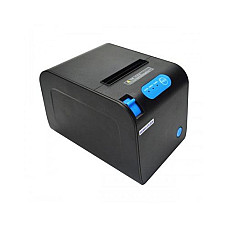
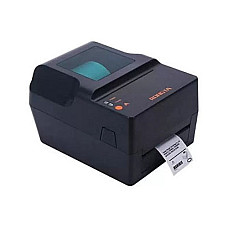
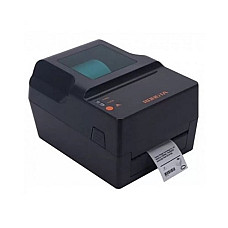
- Type - Thermal Printer
- Print Speed - 80 mm/sec
- Print Width - 58mm
- Interface (Built-in) - USB, Bluetooth
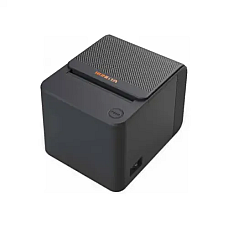
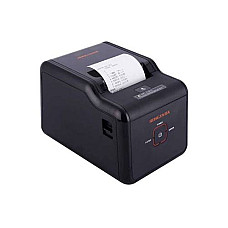
- Model: RP582
- Printing Speed: ≥90 mm/s
- Paper Width: 57.5±0.5mm, Resolution: 203dpi
- Interface: USB, Type-B
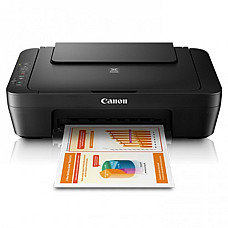
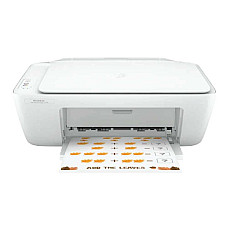
- Model: Canon MG2570S
- Print Speed:4 PPM
- Resolution: 4800x600 DPI
- Connectivity:Hi-Speed USB 2.0
- Connectivity: USB
- Print Resolution: 203dpi
- Printing Method: Thermal Line
- Printing Speed: 200mm/s
- Color: Black
- Paper Size: Paper Width: 56mm
- Resolution: 8 dots/mm, 576 dots/line
- Power Supply: AC100 ~240V(± 10%) DC 24V, 2A
- Functions: Print Only
- Print Speed: Up to 7.7 / 4.0 ipm (Mono/Colour)
- Print Resolution: 4,800 x 1,200 dpi
- Manual Duplex, USB Interface
- Print Width: 72mm
- Print Speed: 250mm/sec
- Print Resolution: 203dpi
- USB+Bluetooth Interface
- Speed: 250mm/s
- Resolution: 203dpi
- Paper Width: 80 mm
- Paper Roll Diameter: 80 mm
- Print Width - 80mm
- Interface (Built-in) - USB
- Print Speed - 250 mm/sec
- Print Resolution (Pixel) - 203 dpi
- Color: White
- Memory: 128 MB
- Connectivity: USB
- Paper Type: Plain paper Photo paper Brochure paper
- Functions: Print, Scan, Copy
- Print speed up to 7.5 ppm (black) and 5.5 ppm (color)
- Duty cycle (monthly, A4): Up to 1000 pages
- Connectivity: 1 Hi-Speed USB 2.0
- Functions: Print Only
- Print Speed: 250 mm/sec
- Paper Type: Thermal paper
- Dimensions: 145 x 148 x 195mm
- Memory: 128MB
- Functions: Print Only
- Paper Size Max. - Legal
- Interface (Built-in) - USB
- Memory: 128MB
- Cutter: Automatic
- Tape Size: 85 mm
- Resolution: 203dpi
- Print Speed: 150 mm/sec
- Paper width: 80mm
- Print Speed: 300mm/s
- Technology: Thermal Line
- Resolution: 203dpi, 8 dots/mm, 576 dots/line
- Paper width: 80mm
- Duplex: Manual
- Print Speed: 22ppm
- Functions: Print Only
- Output Color: Black & White
- Resolution: 203dpi
- Print Speed: 102 mm/sec
- Tape Size - 127 mm
- Maximum Tape Width - 120 mm
- Color: Black
- Resolution: 203dpi
- Print Speed: 4-5 Inch/s
- Interface: Serial Parallel USB LAN, Ethernet
- Print Speed: Up to 20 ppm (black)
- Up to 10000 Pages pages
- Connectivity: USB
- Spill-free ink refill system
- Print Speed: Up to 21 ppm (Black)
- Duty Cycle: Up to 10,000 pages
- Print Resolution: Up to 1,200 x 1,200 dpi (Black)
- Connectivity: Hi-Speed USB 2.0 Port
Printer price in bd : Best Collection at Computer Village
Bangladesh's printer buyers rarely fit one profile, and that's exactly why "which printer should I buy" doesn't have a single answer. Over the years, our printer counter at Computer Village — the same counter where our team answers the printer and scanner hotline (01713240798) — has helped thousands of customers across very different needs: students printing assignments, home-office professionals handling client paperwork, and shop owners printing receipts all day long. Each of these buyers is optimizing for something different, and pretending one printer serves everyone is how people end up overpaying for features they'll never touch, or underpaying and grinding through a printer that can't keep up.
That's the real starting point of this guide. Before we talk specs or brands, it helps to see where you fit — because it changes almost everything about what "the right printer" means for you.
Who Needs This & Why
The Student → Needs a machine for assignments, project reports, lab sheets, and the occasional colour poster before a deadline. Budget dominates the decision, and running cost matters more than most students realize — printing in exam-season batches on a cartridge-based inkjet adds up fast. We usually steer student walk-ins toward an entry inkjet for occasional printing, or an ink-tank model if they print every week.
The Home-Office Professional / Freelancer → Needs a printer that also scans and copies — invoices, signed contracts, ID or trade-license copies. Reliability matters more than raw speed here, since the printer often sits idle for days and then needs to work the moment a client asks for paperwork. A compact mono laser or ink-tank all-in-one covers this persona well.
The Small Business / Shop Owner → Needs volume without daily maintenance — receipts, price tags, delivery challans, bulk forms, day after day. Uptime is the priority, since a shop owner can't visit our service centre every week. This is where a proper mono laser or thermal POS printer earns its keep.
Decoding the Specs
Print Technology (Inkjet vs. Ink-Tank vs. Laser) → Inkjet is cheap upfront but expensive per page over time; ink-tank costs a little more upfront but slashes running cost for regular printing; laser is priciest upfront but cheapest per page for text-heavy, high-volume use.
Print Speed (PPM / IPM) → Barely matters for a student printing ten pages occasionally, but it's everything for a shop printing hundreds of receipts or a business printing bulk reports daily.
Functionality (Print-Only vs. Print, Scan & Copy vs. Fax) → Print-only machines are the cheapest and simplest. Multifunction (MFP) units add scan and copy for home-office paperwork. Fax is now mostly a corporate/legal-office requirement.
Duplex Printing → Automatic two-sided printing roughly halves paper cost over time and saves effort in an office — worth it if you print reports or contracts regularly.
Connectivity (USB / Wi-Fi / LAN) → USB is the budget default for a single-user desk. Wi-Fi lets a whole household or small office print from phones and laptops without cables.
Duty Cycle & Ink/Toner System → This decides your real cost of ownership, not the sticker price — a laser rated for a high monthly duty cycle can end up cheaper over a year than a cheap inkjet needing frequent cartridge swaps.
Handpicked Line-up
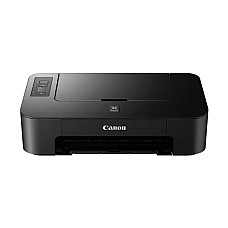
Canon PIXMA TS207 Single-Function Colour Inkjet Printer
The lowest-friction entry point in this category — plug it in, install the driver, and it just prints. No frills, no learning curve. Best for students and first-time buyers who print occasionally and want the smallest possible upfront cost.
View on Computer Village →
HP DeskJet Ink Advantage 2336 All-in-One Colour Printer
Adds scan and copy to the budget bracket without pushing the price far past a print-only inkjet — a genuinely useful starter all-in-one. Ideal for students and home users who occasionally need to scan a form or copy an ID.
View on Computer Village →
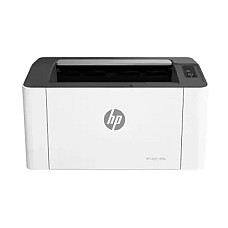
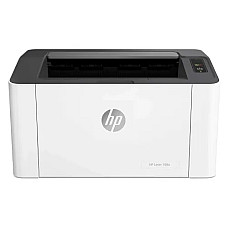
HP Laser 108A Single-Function Mono Laser Printer
A dependable, no-nonsense laser for anyone who's had enough of dried-up ink cartridges — turns on and prints crisp text every time, with a generous duty cycle in reserve. Great for freelancers and home-office professionals who mostly print documents and contracts.
View on Computer Village →
Canon PIXMA G2010 Ink Tank All-in-One Printer
Steps up into ink-tank territory with scan and copy built in, making it a genuinely complete home-office unit rather than a print-only box. Suits home-office professionals who need paperwork copied and scanned, not just printed.
View on Computer Village →
Epson L3210 EcoTank Multifunction Ink-Tank Printer
Our overall top pick in this category — the balance of low running cost, solid print quality, and full print/scan/copy functionality is hard to beat. Fits anyone printing regularly at home or in a small office who wants one machine that does everything well.
View on Computer Village →
What Are the Extra Essentials of This Category
- Pair this with Toners & Cartridges — genuine and compatible ink/toner for every brand, so you're never stuck waiting for a refill.
- Pair this with a Scanner if you picked a print-only model but occasionally need to digitise documents.
- Pair this with a Photocopier if your volume has outgrown even a high-duty-cycle laser printer.
- Pair this with a UPS — printers, especially laser models, are sensitive to sudden power cuts mid-print during load-shedding.
- Pair this with other Office Equipment like laminators, shredders, or projectors if you're setting up a full workspace.
Pair this with a Laptop if you're building a complete home-office or study setup from scratch.
Real Questions, Real Answers
What is the printer price in BD?
Printer prices in Bangladesh vary widely by type and brand — from basic thermal POS printers on the low end to large-format and card printers on the high end. Check the live price list on our printer category page for current pricing.
Which printer is best for home use in BD?
For most homes, an ink-tank all-in-one offers the best balance of low running cost, print quality, and print/scan/copy versatility. For occasional use only, a basic inkjet is enough.
Do printers from Computer Village come with warranty?
Yes. Every printer sold at Computer Village is 100% genuine and includes official manufacturer warranty, backed by our in-house service centre in Agargaon, Dhaka.
Is EMI available for printer purchases?
Yes, Computer Village offers monthly EMI on eligible printer purchases. Check the product page or contact our printer hotline for current EMI terms.
Do you deliver printers outside Dhaka?
Yes, Computer Village delivers nationwide across Bangladesh, alongside in-store pickup at our Agargaon showroom.
Inkjet, ink-tank, or laser — which should I buy?
Choose inkjet for occasional light printing, ink-tank if you print regularly and want the lowest colour running cost, and laser if you mostly print text in volume and want the lowest cost per page over time.
Get Best Delivery & Support in Bangladesh only from Computer Village
Computer Village delivers printers nationwide across Bangladesh, from Dhaka to district towns, with tracked courier delivery and in-store pickup available. Prefer to see it in person first? Visit our showroom at BCS Computer City (IDB Bhaban), Shop #226, 2nd Floor, Agargaon, Dhaka-1207, or call our dedicated Printer & Scanner desk at 01713240798. For warranty claims or servicing, simply bring your unit and invoice to our in-house service centre — no need to ship your printer across the country for a routine fix.